Table of Contents
Introduction – Why Chrome Extensions Matter More Than Ever in 2025
You are not the only person using Google Chrome on a daily basis, because it is one of the most used browsers on a global scale. However, what many of the Chrome users are not aware of is that the browser becomes even more powerful when you utilize its rich catalog of add-ons. A Chrome Extension can make web usage easier on your eyes, keep your privacy safe, and make you more productive or even more focused on what you want to do.

By the year 2025, there will be a lot more capabilities than simply blocking advertisements or grabbing a screenshot in Chrome Extensions. The available tools out there today are smarter, faster, and can be more customized. They are able to automate functions, manage your passwords, write better, and even save money through your online shopping. What is the most exciting thing about it? Some of the best extensions are totally free of charge.
This guide will take you through the best Chrome Extensions that one must have to get the best out of internet life. These extensions can ease your online life no matter whether you are a student, remote worker, content creator, or simply spend much time accessing web-based resources since they make your life online more secure, easier, and efficient.
So what are the best extensions that will make your browser Chrome even better and make you a smarter browser in 2025?
1. Adblock Plus – Say Goodbye to Annoying Ads
Are you sick and tired of pop-ups and banners, and videos that auto-play and crowd all over your favorite sites? Adblock Plus is the Chrome Extension that should be on the list of the most important Extensions. It can block annoying advertisements, pages will load quicker, and it also has settings enabling privacy to ensure that you are not tracked. You are even able to design your own filters to give you more control over blocking ads. It is an indispensable tool whenever you want to have less distraction and more concentration when one is browsing.
2. Grammarly – Write Smarter Anywhere You Type
It does not matter whether you are writing your emails or blog posts, or even your social media captions; Grammarly is an excellent tool that you can use to ensure your writing is effective and error-free. Being among the best Chrome Extensions in terms of productivity, it can provide grammar and spelling proofreading in real-time, tonal recommendations, and referring to clarity issues, which are all AI-driven. Whether you are a student, a content creator, or a professional, Grammarly will support the user in excellent communication, regardless of the location where they write online.
3. Momentum – Transform Your New Tab into a Productivity Hub
Momentum gives your new tab background (or, as it calls it, your tabbed paper) something that is actually remarkable. After opening a new tab every time, you are presented with a beautiful image, a quotation (to inspire you), and a to-do list that can be customized. It will assist you in determining a daily priority and making you aware of what you want to achieve. It is a Chrome Extension that helps you achieve a level of peace and focus in your daily routine.
4. LastPass – Keep Your Passwords Safe and Secure
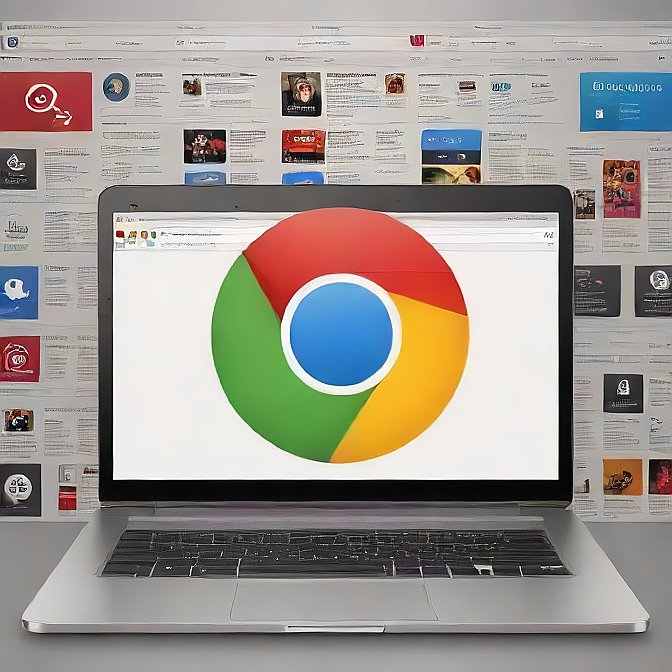
It is a burden having dozens of passwords that one has to manage, which, however, becomes simple and safe with the help of LastPass. It is a Chrome Extension that keeps all of your passwords in an encrypted, on-demand vault and auto-fills them when it is required. Using a single master password, you will be able to access websites in one click. It also makes it easy to come up with high-strength, unique passwords and sync with all your devices. LastPass is a must-have tool for any user who wants to be secure on the net.
5. Dark Reader – Eye Comfort with One Click
Dark Reader will give you a game-changing boost when you have to read at night or just work in low-light conditions. It uses a dark theme on all websites and causes less eye strain and enhanced legibility. Having an option of contrast and brightness settings, you can customize web pages in this Chrome Extension to suit you. It comes in handy especially when working with developers, people who prefer nighttime, and those easily irritated by bright screens.
6. Tab Wrangler – Control Tab Overload Like a Pro
Tab Wrangler will help you whether you are the person who has a dozen tabs open at all times. The smart Chrome Extension automatically closes unused tabs to ensure that your browser is running fine. Don, the closed tabs are not lost, and one can easily reopen them in a list, so there is nothing to worry about. It fits very well with multitaskers, researchers, or anyone who could use some assistance in removing clutter in their digital work area.
7. Honey – Automatically Find the Best Deals Online
In case you want to save, why not use Honey? It is a Chrome Extension that automatically locates and uses coupon codes at checkout on thousands of online stores. It also displays price histories and even allows one to earn rewards on each purchase. As a smart customer, Honey is a convenient method of enabling cost-saving and time savings at the online store.
Check Out: How to Use AI Tools for Content Creation Like a Pro.
8. uBlock Origin – Lightweight Ad and Tracker Blocker
The uBlock Origin ad blocker is more than just average. It also blocks advertisements, tracking sites, and malicious websites, among other things, and what makes it unique is that it does this using fewer system resources compared to other extensions. This implies there is accelerated viewing without compromising on your privacy. It is popular among power users used to having advanced filtering options that realize high levels of protection without compromising control.
9. Loom – Record Your Screen and Share Instantly
You want to make a tutorial, presentation, or a feedback video in a few minutes? With just one tap of the screen, Loom enables a user to record his or her screen and webcam. Following a recording, sharing your video is quick using a link that allows you to avoid the downloading and uploading processes. As far as communication is concerned, Loom is undoubtedly one of the best Chrome Extensions, especially in collaboration with remote employees, educators, and makers of online content.
10. StayFocusd – Block Distractions, Stay Productive

We have all been lured into the good old snare of social media checking or YouTube watching with reference to work. Stay Focusd is one way to dominate it because it lets you stop focusing elsewhere as much. You will be able to make usage schedules, block some domains, and impose time limits. It is the final Chrome Extension that any individual who wants to be disciplined and to do more in a single day should have.
Conclusion
The modern world of the Internet moves very quickly, and the necessary Chrome Extensions can help to make your web search as efficient and comfortable as possible. Whether you want to thumb your nose at obnoxious advertisements, want to write and compose better, focus more, or improve your online security, here are intelligent solutions that solve your problem.
The above-listed extensions are not only popular, they are highly rated as well as easy to use, but most importantly help to solve real problems that tech enthusiasts, learners, and professional people encounter on a daily basis. Using the proper combination of add-ons, you can make your Chrome browser the safest, time-saving, productivity-enhancing, and money-saving online experience (we did not say free).
For more info: Click Here.
FAQs
1. Is it safe to use Chrome Extensions?
To be on the safe side, it is advised that only Chrome Extensions developed by good developers be used, and a good example would be the Extensions developed in the official Chrome Web Store. However, it is most advisable to check user reviews, permissions, and developers to ensure that they do not expose herself/ himself and make sure that they install extensions that are not malware.
2. And do Chrome Extensions make my browser slow?
It is true that a small number of lightweight extensions would not have a big impact on the performance, but too many extensions, and some of these extensions, which are perpetually running in the background of the browser, would slow down your browser. To achieve this consistency, always check and delete other extensions that you do not use anymore.
3. Is there a way to use Chrome Extensions on mobile?
Chrome Extensions are almost all desktop-only and have no official support on the mobile edition of Chrome. Nevertheless, not all third-party Android browsers support extensions, with Kiwi Browser being one that does. To have an optimal experience, one should use them on a laptop or a desktop computer.